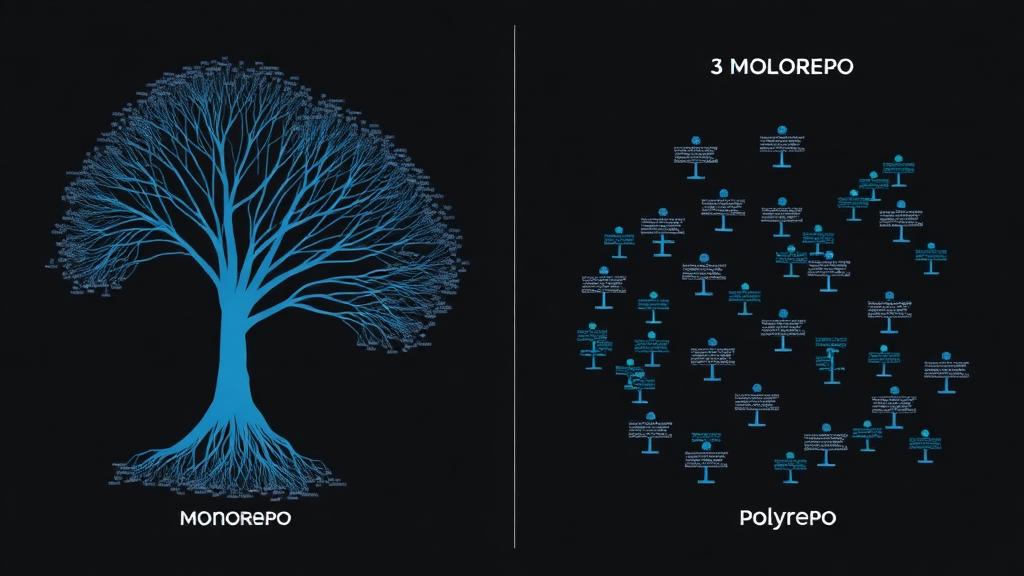
Two years ago, I migrated a 12-repo polyrepo setup into a single monorepo. Six months ago, I split a monorepo into 4 separate repos. Both decisions were correct for their context. The “monorepo vs polyrepo” debate isn’t about which is universally better — it’s about which fits your team’s specific constraints.
Here’s everything I’ve learned about both approaches, including the tooling, the pain points, and a framework for deciding.
What’s Actually Different
Monorepo: Multiple projects/packages in a single repository.
- One
git clonegives you everything - Shared tooling and configuration
- Atomic cross-project changes
- Single CI/CD pipeline (with smart filtering)
Polyrepo: One repository per project/package.
- Independent codebases
- Independent versioning and deployment
- Team autonomy
- Simpler per-repo setup
# Monorepo structure
my-company/
├── apps/
│   ├── web/          # Next.js frontend
│   ├── api/          # Express backend
│   ├── mobile/       # React Native
│   └── admin/        # Admin dashboard
├── packages/
│   ├── shared-ui/    # Shared React components
│   ├── config/       # Shared ESLint, TS configs
│   ├── database/     # Prisma schema + client
│   └── types/        # Shared TypeScript types
├── package.json
├── turbo.json
└── pnpm-workspace.yaml
# Polyrepo structure
github.com/my-company/
├── web/ # Separate repo
├── api/ # Separate repo
├── mobile/ # Separate repo
├── admin/ # Separate repo
├── shared-ui/ # Separate repo (published to npm)
├── config/ # Separate repo (published to npm)
└── types/ # Separate repo (published to npm)The Real Comparison
| Factor | Monorepo | Polyrepo |
|---|---|---|
| Atomic changes | ✅ One PR changes everything | ❌ Requires coordinated PRs |
| Code sharing | ✅ Direct imports | ⚠️ Requires publishing packages |
| Dependency management | ✅ Single lockfile, no version hell | ⚠️ Diamond dependency issues |
| CI/CD complexity | ⚠️ Needs smart build filtering | ✅ Simple per-repo pipelines |
| Team autonomy | ⚠️ Everyone shares rules | ✅ Teams choose their own tools |
| Onboarding | ⚠️ Clone is large, context is wide | ✅ Small scope, clear ownership |
| Code discovery | ✅ Everything searchable in one place | ⚠️ Need to search across repos |
| Deployment | ⚠️ Must detect what changed | ✅ Deploy when this repo changes |
| Git performance | ⚠️ Large repos need optimization | ✅ Fast operations on small repos |
| Refactoring | ✅ Change everything at once | ❌ Multi-step, error-prone |
Monorepo Tooling in 2025
Turborepo (My Go-To)
// turbo.json
{
  "$schema": "https://turbo.build/schema.json",
  "globalDependencies": ["**/.env.*local"],
  "pipeline": {
    "build": {
      "dependsOn": ["^build"],
      "outputs": ["dist/**", ".next/**"]
    },
    "test": {
      "dependsOn": ["build"],
      "outputs": ["coverage/**"]
    },
    "lint": {},
    "dev": {
      "cache": false,
      "persistent": true
    }
  }
}
# Only build what changed (smart caching)
turbo build --filter=...[HEAD^1]
# Run dev servers for specific apps
turbo dev --filter=web --filter=api
# Run tests only for affected packages
turbo test --filter=...[main...HEAD]pnpm Workspaces
# pnpm-workspace.yaml
packages:
  - 'apps/*'
  - 'packages/*'
// packages/shared-ui/package.json
{
"name": "@company/shared-ui",
"version": "1.0.0",
"main": "./src/index.ts",
"types": "./src/index.ts"
}
// apps/web/package.json
{
"name": "@company/web",
"dependencies": {
"@company/shared-ui": "workspace:*",
"@company/types": "workspace:*"
}
}Nx (Alternative)
// nx.json
{
  "targetDefaults": {
    "build": {
      "dependsOn": ["^build"],
      "cache": true
    },
    "test": {
      "cache": true
    }
  },
  "affected": {
    "defaultBase": "main"
  }
}
# Build only affected projects
nx affected:build --base=main
# Visualize dependency graph
nx graphTool Comparison
| Feature | Turborepo | Nx | Lerna | Moon |
|---|---|---|---|---|
| Task caching | ✅ Local + Remote | ✅ Local + Remote | ⚠️ Basic | ✅ Local + Remote |
| Affected detection | ✅ | ✅ Advanced | ⚠️ Basic | ✅ |
| Language support | JS/TS focused | Multi-language | JS/TS | Multi-language |
| Complexity | Low | Medium-High | Low | Medium |
| Dependency graph | ✅ | ✅ Visual | ❌ | ✅ |
| Speed | Fast | Fast | Slow | Fast (Rust) |
| Learning curve | Easy | Steep | Easy | Medium |
Pro Tip: For most JavaScript/TypeScript teams, Turborepo + pnpm workspaces is the sweet spot. It’s simple, fast, and doesn’t require you to learn a complex plugin system. Save Nx for truly massive monorepos (500+ packages) where its advanced features justify the complexity.
Setting Up a Monorepo From Scratch
Here’s my template for new monorepo projects:
# Initialize
mkdir my-monorepo && cd my-monorepo
pnpm init
# pnpm-workspace.yaml
packages:
- 'apps/*'
- 'packages/*'// package.json (root)
{
"name": "my-monorepo",
"private": true,
"scripts": {
"build": "turbo build",
"dev": "turbo dev",
"test": "turbo test",
"lint": "turbo lint",
"clean": "turbo clean && rm -rf node_modules"
},
"devDependencies": {
"turbo": "^2.0",
"typescript": "^5.5"
},
"packageManager": "[email protected]"
}Shared Configuration Package
// packages/config/package.json
{
  "name": "@company/config",
  "version": "1.0.0",
  "files": ["eslint", "typescript"]
}
// packages/config/eslint/base.js
module.exports = {
extends: ['eslint:recommended', 'plugin:@typescript-eslint/recommended'],
parser: '@typescript-eslint/parser',
plugins: ['@typescript-eslint'],
rules: {
'@typescript-eslint/no-unused-vars': ['error', { argsIgnorePattern: '^_' }],
'no-console': ['warn', { allow: ['warn', 'error'] }],
},
};// packages/config/typescript/base.json
{
"$schema": "https://json.schemastore.org/tsconfig",
"compilerOptions": {
"target": "ES2022",
"module": "NodeNext",
"moduleResolution": "NodeNext",
"strict": true,
"esModuleInterop": true,
"skipLibCheck": true,
"forceConsistentCasingInFileNames": true,
"resolveJsonModule": true,
"isolatedModules": true,
"declaration": true,
"declarationMap": true,
"sourceMap": true
}
}For TypeScript configuration, the extends arrays feature in TS 5.5 works beautifully with monorepo config packages.
CI/CD for Monorepos
The key challenge: don’t build everything on every commit.
# .github/workflows/ci.yml
name: CI
on:
  push:
    branches: [main]
  pull_request:
    branches: [main]

jobs:
  detect-changes:
    runs-on: ubuntu-latest
    outputs:
      packages: ${{ steps.filter.outputs.changes }}
    steps:
      - uses: actions/checkout@v4
        with:
          fetch-depth: 0
      - uses: dorny/paths-filter@v3
        id: filter
        with:
          filters: |
            web:
              - 'apps/web/**'
              - 'packages/shared-ui/**'
              - 'packages/types/**'
            api:
              - 'apps/api/**'
              - 'packages/database/**'
              - 'packages/types/**'

  build-and-test:
    needs: detect-changes
    runs-on: ubuntu-latest
    steps:
      - uses: actions/checkout@v4
      - uses: pnpm/action-setup@v3
      - uses: actions/setup-node@v4
        with:
          node-version: '22'
          cache: 'pnpm'
      - run: pnpm install --frozen-lockfile
      - run: pnpm turbo build test --filter=...[origin/main...HEAD]
For more GitHub Actions patterns, see our CI/CD guide.
When the Monorepo Gets Too Big
Signs you need to optimize:
| Symptom | Solution |
|---|---|
git clone takes minutes |
Use shallow clone, sparse checkout |
git status is slow |
Enable fsmonitor |
| IDE is sluggish | Open only relevant workspace |
| CI builds everything | Implement affected detection |
| pnpm install is slow | Use --frozen-lockfile, cache node_modules |
# Sparse checkout: only clone what you need
git clone --sparse --filter=blob:none [email protected]:company/monorepo.git
cd monorepo
git sparse-checkout set apps/web packages/shared-ui packages/types

# Enable filesystem monitor for large repos
git config core.fsmonitor true
git config core.untrackedcache true
When to Choose Polyrepo Instead
1. Different Deployment Lifecycles
If your services are deployed by different teams on different schedules with different risk tolerances, polyrepo makes this natural. A monorepo requires discipline to not accidentally couple deployments.
2. Different Languages/Runtimes
A Python ML service, a Rust CLI tool, and a Node.js API don’t share much tooling. Separate repos let each team use their ecosystem’s best practices.
3. Open Source / Public Packages
If you publish libraries that external developers consume, they need their own repos with independent issue tracking, contribution guidelines, and release cycles.
4. Team Autonomy Is Critical
Some organizations value team independence above all. If teams need to move fast without coordinating, polyrepo eliminates merge conflicts and shared pipeline bottlenecks.
Migration: Polyrepo → Monorepo
Here’s the process I follow:
# 1. Create the monorepo structure
mkdir monorepo && cd monorepo
git init
pnpm init

# 2. Import repos preserving history
git subtree add --prefix=apps/web [email protected]:company/web.git main
git subtree add --prefix=apps/api [email protected]:company/api.git main
git subtree add --prefix=packages/shared [email protected]:company/shared.git main

# 3. Update internal dependencies to workspace references
# Change: "@company/shared": "^1.2.3"
# To: "@company/shared": "workspace:*"

# 4. Set up workspace tooling (turbo, pnpm workspace)

# 5. Update CI/CD

# 6. Archive old repos (don't delete yet)
Migration Timeline (Real Numbers)
From my last migration (8 repos → 1 monorepo, team of 12):
- Planning and tool selection: 1 week
- Infrastructure setup: 2 days
- Migrating repos (preserving history): 1 day
- Updating internal references: 2 days
- CI/CD reconfiguration: 3 days
- Team training and documentation: 2 days
- Bug fixes and stabilization: 1 week
- Total: ~3 weeks
Common Mistakes
1. Choosing a Monorepo “Because Google Does It”
Google has custom-built tools (Blaze/Bazel, Piper) that make their monorepo work. You don’t. Choose based on YOUR team’s needs, not cargo-culting FAANG.
2. Not Setting Up Remote Caching
Without remote caching, your CI rebuilds everything every time:
// turbo.json - enable remote caching
{
  "remoteCache": {
    "enabled": true
  }
}
# Connect to Vercel Remote Cache (free tier available)
turbo login
turbo link3. Coupling Packages That Should Be Independent
Just because code is in a monorepo doesn’t mean everything should import everything. Maintain clear boundaries:
// turbo.json - define package boundaries
{
  "pipeline": {
    "build": {
      "dependsOn": ["^build"]  // Only builds declared dependencies
    }
  }
}
4. Not Documenting Package Boundaries
Create an architecture decision record (ADR) explaining which packages can depend on which:
packages/types     → No dependencies (leaf node)
packages/database  → Depends on: types
packages/shared-ui → Depends on: types
apps/api           → Depends on: database, types
apps/web           → Depends on: shared-ui, types
5. Ignoring the Human Factor
The biggest monorepo challenges are organizational, not technical:
- Who reviews cross-package PRs?
- How do you prevent teams from breaking each other’s code?
- How do you handle conflicting dependency versions?
Pro Tip: Establish a CODEOWNERS file from day one. It defines who must review changes to each package, preventing accidental breakage:
# CODEOWNERS
/apps/web/           @web-team
/apps/api/           @backend-team
/packages/shared-ui/ @design-system-team
/packages/database/  @backend-team
Decision Framework
Answer these questions:
- Do you share significant code between projects? → Monorepo
- Do you need atomic cross-project changes? → Monorepo
- Is your team <20 people working on related code? → Monorepo
- Do you deploy services independently on different schedules? → Polyrepo
- Do teams use different languages/ecosystems? → Polyrepo
- Is team autonomy your top priority? → Polyrepo
If you answered “yes” to questions from both groups, consider a hybrid: monorepo per domain (e.g., one for frontend, one for backend services) with clear contracts between them.
FAQ
How big is too big for a monorepo?
There’s no hard limit, but practical thresholds: if git status takes >1 second, git clone takes >2 minutes, or your CI can’t build changed packages in <10 minutes, you need optimization (sparse checkout, file system monitors) or splitting. Most teams hit issues around 50-100 packages or 1M+ lines of code without proper tooling.
Should I use Turborepo or Nx?
Turborepo for: simplicity, JavaScript/TypeScript focused teams, gradual adoption, fast setup. Nx for: enterprise scale, multi-language support, advanced code generation, complex dependency graphs. If you’re unsure, start with Turborepo — it’s easier to learn and covers 80% of use cases. You can always migrate to Nx later.
How do I handle different Node.js versions in a monorepo?
Use engines field in each package.json, and Volta or nvm for local version management. In CI, you can run different Node versions per package using matrix builds. For most monorepos, a single Node.js version across all packages is simplest and avoids compatibility issues.
Can I have private and public packages in the same monorepo?
Yes. Keep public packages in a packages/ directory with their own LICENSE and README. Use .npmignore or the files field in package.json to control what gets published. Many open-source projects (React, Babel, Next.js) work this way — their monorepo contains both the public package and private internal tools.
How do I handle database migrations in a monorepo?
Keep database schemas in a dedicated package (e.g., packages/database) with its own migration scripts. Other packages import the generated client (Prisma, Drizzle, etc.) from this package. Migrations run as part of the database package’s build step. In CI, run migrations against a test database before running integration tests.